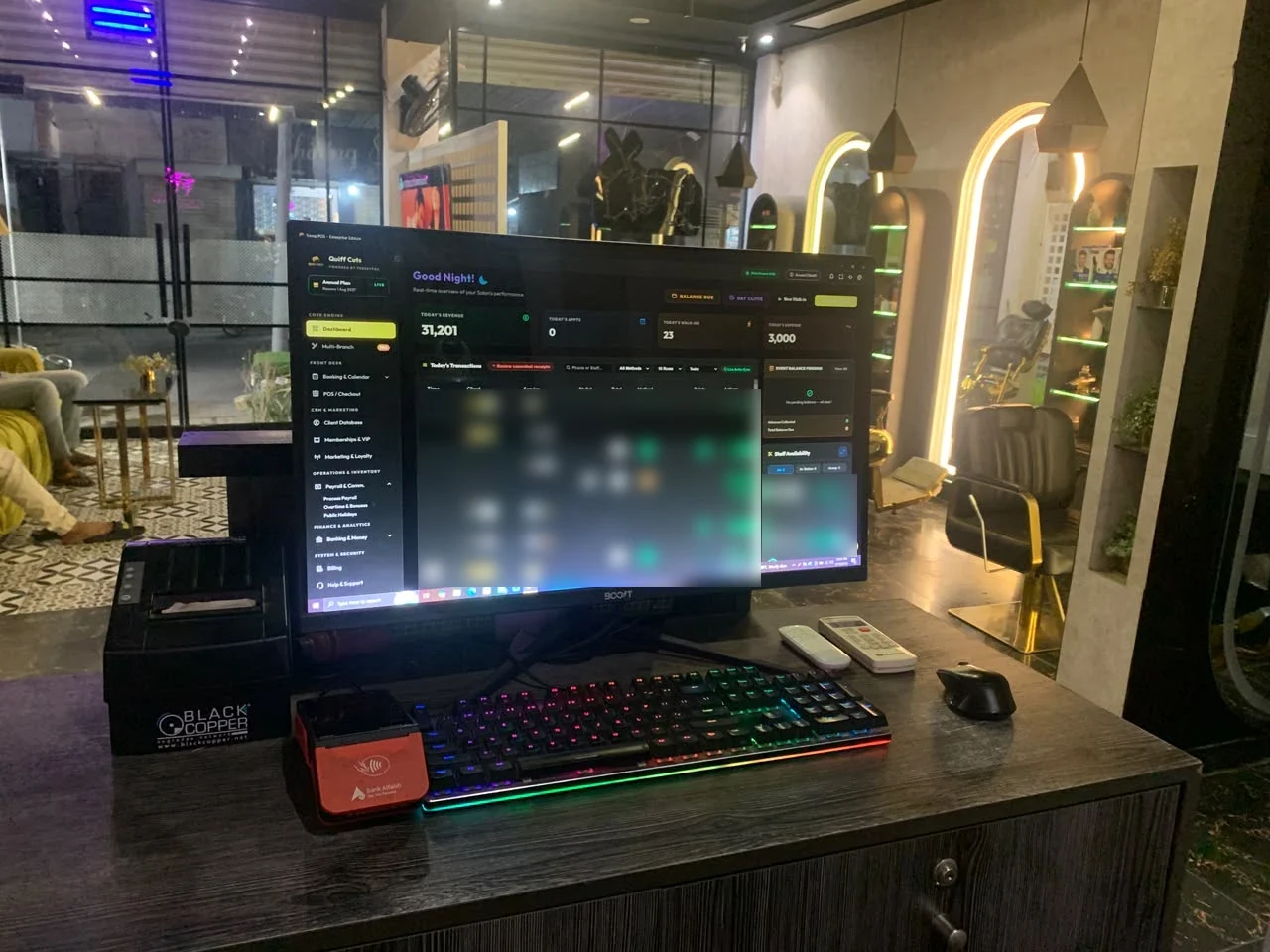
The salon
Quiff Cuts opened in Faisalabad in 2024. It is a men’s salon with a team of about eight people: haircuts, beard work, hair treatments and grooming packages, and a front counter that stays busy late into the evening. You can see the salon itself at quiffcuts.com.
Like many new salons, we started with what was free and familiar: a Google Sheet for sales, another tab for expenses, and notes for staff pay.
What went wrong with spreadsheets
A spreadsheet only knows what someone types into it, and at a busy counter people forget. Over time the same problems kept coming back:
- The cash did not match at night. The sheet said one number, the drawer said another, and there was no easy way to find which bill caused the difference.
- Card and bank money got mixed up. Money that went to the bank was sometimes counted as if it was in the drawer.
- Staff pay took hours. Commission, advances and days off were worked out by hand at the end of the month, and every mistake became an argument.
- Nothing was protected. Anyone could change a cell, and there was no record of who changed what, or when.
The owner of Quiff Cuts also runs a software company, AsanWebs. So instead of trying another spreadsheet template, we built the system our own counter needed. That system became TressyPOS, and Quiff Cuts has run on it since 2026.
A normal day at the counter now
| Moment | What happens in TressyPOS |
|---|---|
| Client walks in | Added to the walk-in queue and given to a stylist. The dashboard shows who is free. |
| Service done | The bill is made in seconds, with the stylist on each line so commission is counted automatically. |
| Client pays | Cash goes to the drawer, card goes through the card machine, and bank QR payments are saved against the bill with their transaction number. |
| Client leaves | A short receipt goes on WhatsApp, with a link to leave a Google review. |
| Closing time | Day Close counts what should be in the drawer, moves card and bank money to the right accounts, and locks the day. |
| Month end | Payroll takes attendance, commission and advances together, and posts everything to the books. |
If you want the detail behind the end of the day, our guide to the salon Day Close and Z-report explains each step.
What changed
- Closing the day takes minutes. The drawer is counted against what the software expects, and any difference is visible at once, bill by bill.
- Bank payments match the bank statement. Each bank or QR payment has its own line, so it can be ticked off against the statement one by one.
- Payroll is a button, not a weekend. Advances given during the month are taken off automatically when salaries are made.
- Every change has a name on it. Voids, edits and payments are recorded with who did them and why.
- Reviews are easier to ask for. The Google review link on every WhatsApp receipt lets a happy client leave one in a few taps.
Quiff Cuts has now recorded more than 5,000 bills in TressyPOS.
Why owning a salon made the software better
Most features in TressyPOS started as a real problem at the Quiff Cuts counter. When the card payments and the day’s cash did not agree, we built the checks that catch it. When staff advances were forgotten at month end, we linked them to payroll. When bank QR payments had to be typed in by hand, we connected the bank so the bill saves itself once the payment arrives.
Because the software is used in our own salon every day, a problem does not stay hidden for long. We see it at the same counter, on the same evening, and we fix it. TressyPOS is now used in other salons too, and they get the same fixes.
What we would tell another salon owner
- Stop fixing numbers by hand. If the drawer and the sheet do not match, you need to know which bill caused it, not just the total.
- Keep bank and cash separate from day one. Mixing them is the most common reason a salon’s books go wrong.
- Put the stylist on every bill. Commission and staff reports are only as good as this one habit.
- Close every day. A short routine at night saves hours at month end.
If you are comparing options, our guide on how to choose salon software lists the questions to ask any company, including us.